

Business phone number Practical guide
Check the number customers see on return calls
Do not guess which number customers see when you return a business call. Test every route you actually use, note the displayed number, then have a willing participant ring it back and record exactly where that callback lands. In HighLevel, outgoing caller ID can vary by route, permissions, number assignment and Local Presence, so check provider support before changing a setup that already works.
Take this with you
At a glance
- List every route you actually use to return calls, then test each one with a willing participant.
- Record both the displayed number and the exact callback destination, because outbound caller ID and inbound routing are separate.
- Ask which numbers are eligible, whether Local Presence is active, and whether calls leave through the app or your SIM before changing anything.
Customers do not always see the number you expect when you return a missed call. For an outgoing business caller ID trades setup, the visible number can change depending on how the call leaves your system: desktop dialler, mobile app, or the handset’s own phone app.
If you want a reliable answer, do not rely on memory, old settings or what “should” happen. Run a short test on the exact routes you use in real life, then write down two separate things: what number the other person saw and where their callback actually went.
Start with the real calling routes you use
Most owners do not return calls from one place only. You might:
- ring back from the HighLevel Web Dialer on a laptop
- call from inside the HighLevel mobile app
- tap a number in LeadConnector or HighLevel and let the handset’s native dialler place the call
- use Local Presence on some calls but not others
- use an existing verified business number for outbound calls
That is why a single test is not enough. If you only test the laptop dialler, but most of your missed calls get returned from your mobile while you are on site, you have not tested the route that matters.
Keep this simple. List the routes the owner actually uses in a normal week. Ignore menu options you never touch. The aim is not to explore every feature. The aim is to check what your customers really see.
What HighLevel can change, and what it cannot
HighLevel’s own help pages show why you should test the route, not assume the result.
- In the Web Dialer, the outbound caller ID is the number shown in “Calling From”. HighLevel says the available choices depend on number assignment, user permissions and account configuration, so some users are effectively limited to their assigned number. HighLevel Web Dialer
- In the mobile app, outbound calls can go out inside the app or through the phone’s native calling app. HighLevel also says Local Presence does not apply to SIM-based calls; those use the mobile carrier number instead. HighLevel mobile app
- Local Presence Dialing can automatically choose a caller ID based on the contact’s location. HighLevel says this includes the UK, and if no suitable match exists it falls back to the sub-account default number. Local Presence Dialing
- Inbound behaviour is a separate setting. HighLevel’s phone number configuration controls inbound and outbound behaviour for each number, and forwarding settings affect what happens when somebody rings that number back. Phone number configuration
- If you use your own existing number for outbound calls, HighLevel documents a verification call and code to confirm ownership. It says this is not the same as porting that number for full phone-system management. Use your existing number
Put plainly: you cannot safely assume that every route will show the same number, or that every callback will land in the same place.

Build a simple test matrix
Use willing test participants. Ask each person to record the number that appeared on their phone, then ask them to ring it back straight away while you watch where that return call lands.
A plain table is enough:
Scroll sideways to see all columns.
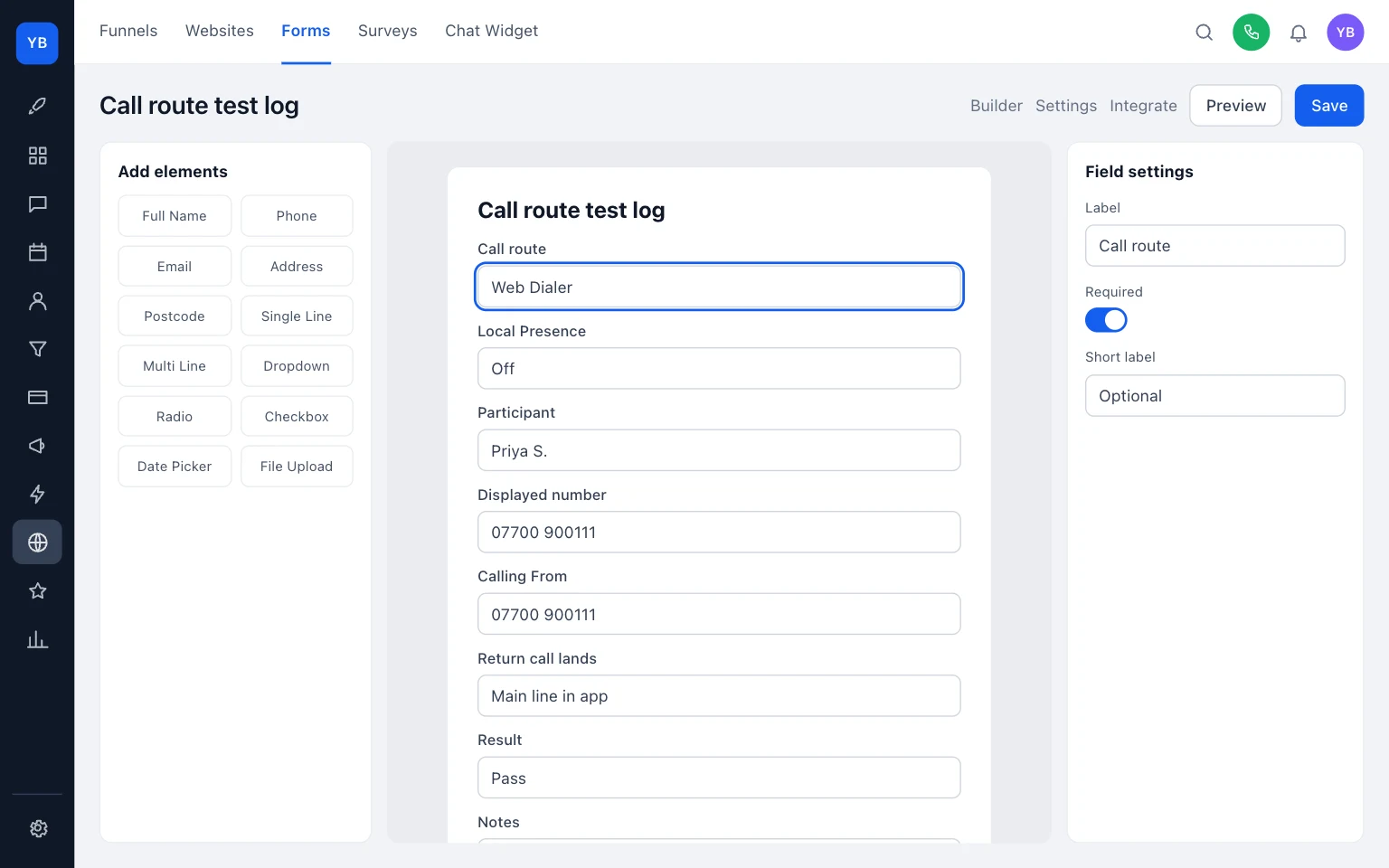
| Calling route to test | What participant should record | What you should record | Where the return call lands | Result |
|---|---|---|---|---|
| Web Dialer, Local Presence off | Displayed number | Which Calling From number you selected | Exact destination: app number, forwarded mobile, voicemail, team member | Pass / fail |
| Web Dialer, Local Presence on | Displayed number | Whether HighLevel chose a local number or default number | Exact destination on callback | Pass / fail |
| HighLevel mobile app call | Displayed number | Whether Local Presence was enabled | Exact destination on callback | Pass / fail |
| Native phone dialler launched from HighLevel or LeadConnector | Displayed number | Whether the call went out as SIM or carrier calling | Exact destination on callback | Pass / fail |
| Existing verified number used for outbound | Displayed number | Which verified number was selected | Exact destination on callback | Pass / fail |
| Each route above: participant calls back | Where the callback landed | Time, route and any forwarding involved | App inbox, forwarded mobile, voicemail, office user, other | Pass / fail |
A few practical points make this easier:
- test one route at a time
- do not change settings between tests unless that change is the thing you are testing
- note the exact number you intended to show before placing the call
- keep the callback immediate, so there is no doubt which route caused it
- if something fails, stop and write down what happened before you try to fix it
This is the part busy tradespeople often skip. They remember the outgoing number but forget to record the callback destination. That is how you end up with a number that looks right on the customer’s phone but sends their return call to the wrong mobile, the wrong voicemail, or nowhere useful.
Record provider questions before changing anything
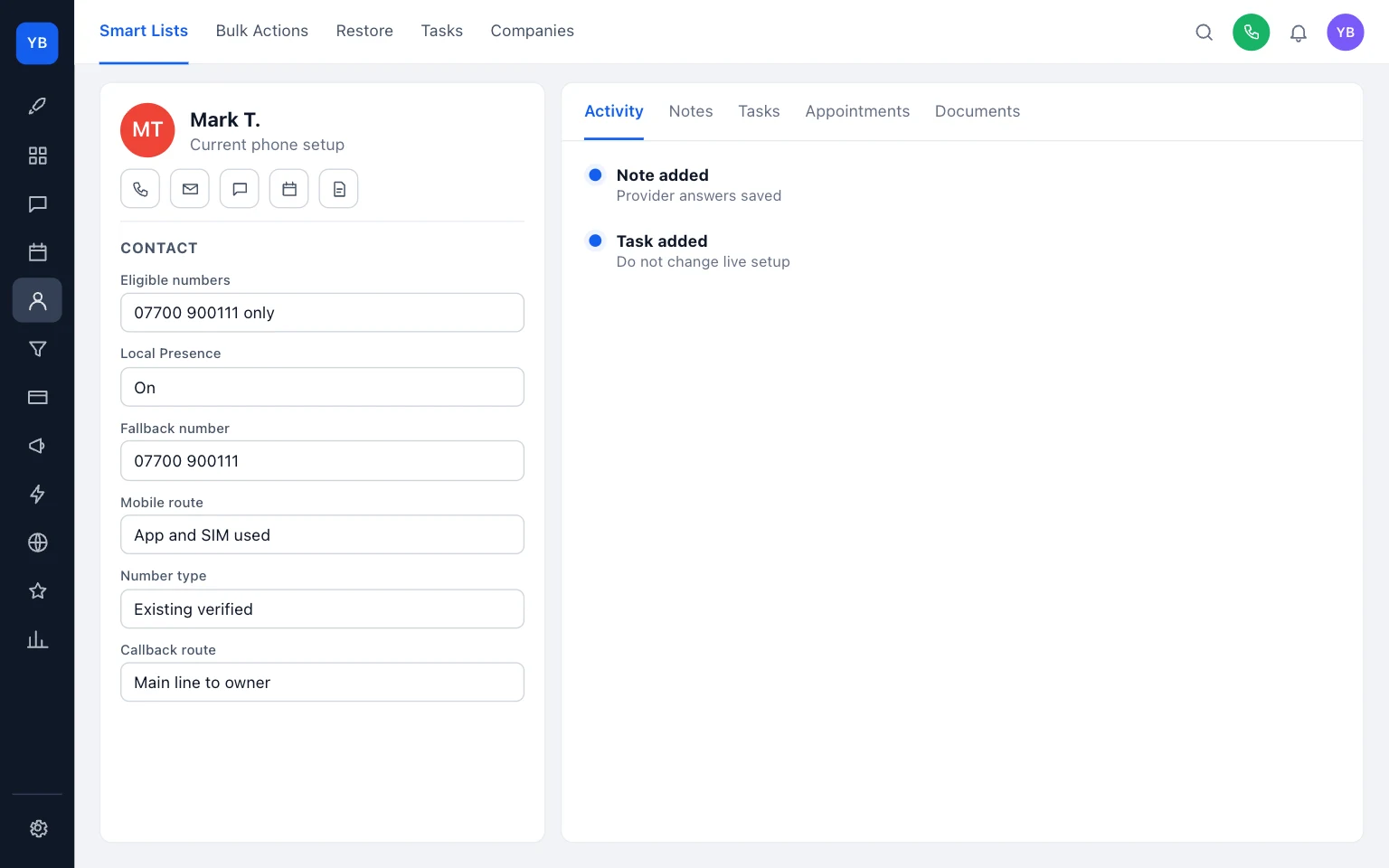
Before you alter a working setup, write down the answers to these checks:
- Which numbers are eligible in Calling From for this user? HighLevel Web Dialer
- Is Local Presence enabled, and what is the default fallback number? Local Presence Dialing
- On mobile, are outbound calls going through the HighLevel app or the handset’s SIM or carrier route? HighLevel mobile app
- If a customer rings back, what is the exact inbound destination for that displayed number? Phone number configuration
- Is the business using a verified existing number or a HighLevel-managed number? Use your existing number
Those answers give you a proper before-state. If a later change breaks something, you can compare old and new instead of guessing.
Examples
Example 1
You return a missed call from the Web Dialer with Local Presence off.
- Calling route: Web Dialer
- Calling From selected:
07700 900111 - Participant saw:
07700 900111 - Participant called back: return call reached the main business line in the app
- Result: pass
That is a clean result because the displayed number matched the selected number and the callback landed where you expected.
Example 2
You tap the number on your mobile and the native phone app places the call.
- Calling route: handset native dialler
- Expected by owner: office number
- Participant saw:
07700 900231 - Participant called back: return call went to the handset and then voicemail
- Result: fail
This is the sort of mismatch that catches people out. HighLevel’s mobile help explains that SIM-based calls use the carrier number, and Local Presence does not apply on that route. HighLevel mobile app
Example 3
You use an existing verified business number for outbound calls.
- Calling route: verified existing number
- Selected outbound number:
07700 900144 - Participant saw:
07700 900144 - Participant called back: return call followed the inbound setup for that number
- Result: record the exact destination before making more changes
The useful point here is not just that the number displayed correctly. It is that outbound identity and inbound routing still need checking separately.
Do not rely on caller-name display
Do not promise that customers will see a business name with the number. HighLevel’s CNAM page is about the U.S. telephone network, and it also says name display is not guaranteed because the receiving carrier, device and caller-ID service affect the result. What is CNAM?
For a UK trade business, that means the safer promise is about the number you are trying to present, not the name that may or may not appear beside it.
What to do today
If you want this sorted without turning it into a full phone-system project, do this today:
- List the routes you actually use to return calls.
- Pick one or two willing participants.
- Run the test matrix and record both the displayed number and callback destination.
- Write down the five provider questions before touching live settings.
- Leave the working configuration alone until you know exactly what each route is doing.
If you want help tidying the wider setup around missed calls and business numbers, see our business phone service and pricing. For more practical admin guides, browse /guides/, including Shared inbox handovers without crossed replies, Business email change checklist for trades, and How to organise job photos for web and social.
The main thing is to replace assumptions with one written test. Once you know which route shows which number, and where each callback goes, you can change the setup with far less risk.
Keep building your enquiry process
See our guides for trades for the wider picture, explore business phone number with UKTL and check the current package and pricing.
- How to organise job photos for web and social
- Shared inbox handovers without crossed replies
- Business email change checklist for trades
For a practical next step, read Weekly plan for plumbers, electricians, roofers.
Make it practical
Talk through your own setup.
If the website, local search and follow-up all need joining up, we can walk through how the UKTL setup works for your business.
Book a quick call