

Missed calls and enquiry follow-up Practical guide
Best CRM for UK tradesmen: costs and setup support
The best crm for tradesmen uk depends on what you need to control first: user costs, job caps, missed-enquiry follow-up or setup ownership. On vendor pages checked on 2026-11-17, Tradify was the clearest GBP per-user option, ServiceM8 suited lower-tier unlimited-user use with job caps, and Jobber published USD-first pricing. Before moving live, test checkout VAT, lead capture and your data export route yourself.
Take this with you
At a glance
- Count the people who need logins and your usual monthly job volume before comparing CRM prices.
- Run one full trial from enquiry to quote to data export before importing live customer records.
- If nobody in your firm will own stages, fields and follow-up, budget for managed setup as well as software.
Choosing the best crm for tradesmen uk is less about the logo and more about where work gets stuck: missed calls, unowned quotes, scattered customer notes, or no clean way to get your data back out.
UKTL sells CRM setup support, so we have a commercial interest in this topic. To keep this comparison fair, I have stuck to vendor pages checked on 2026-11-17, used vendor pricing only where it was readable, and flagged the gaps instead of guessing.
Why this matters
A small trades team usually does not need a huge system. It needs one place where an enquiry lands, one owner for the next action, and a simple way to move the job from first contact to quote, booking and completion.
That matters even more if your enquiries come from both web forms and phone calls. If you are also fixing missed-call follow-up, the CRM needs to work with that process rather than sit beside it. See our CRM setup service and missed-call text-back if you are trying to join those two jobs up.
Start with the task, not the logo
Before you compare suppliers, write down which of these is the real problem:
- too many people need logins, so user costs matter most
- job volume changes, so job caps matter most
- quotes go out but nobody chases them
- missed calls, web forms and SMS replies end up in different places
- you do not trust how easy it will be to export your records later
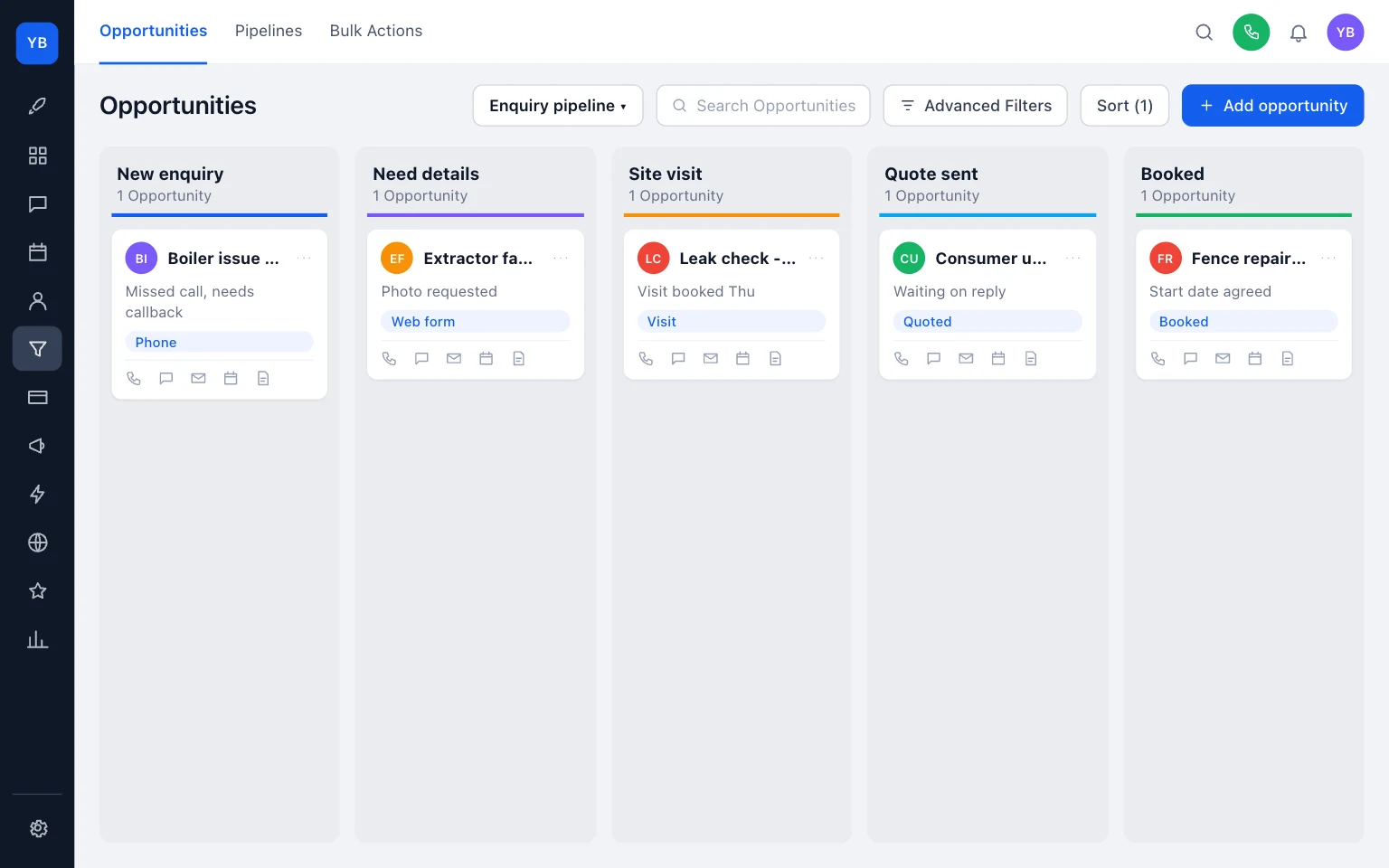
For many small firms, a CRM only needs one short board to be useful. A practical starting point is:
- New enquiry
- Need details
- Site visit
- Quote sent
- Booked
That is enough to show ownership and stop work vanishing into memory. If your records are already messy, tidy the basic customer fields first with our guide to customer CRM fields for trades. If call handling is part of the problem, also check the number customers see on return calls.
Task-based comparison table
Scroll sideways to see all columns.
| Supplier | Best-fit task | Public pricing and limits | Add-ons and setup support | Exit and ownership notes |
|---|---|---|---|---|
| Tradify | Clear GBP per-user pricing for a team that wants to know what each extra login costs | Tradify’s UK pricing page showed Lite £34/user/month, Pro £37/user/month, Plus £44/user/month, plus a 14-day free trial, as published on 2026-11-17 (Tradify pricing). Plan basis was per user. VAT wording was not confirmed from the reviewed page. | The same page listed Instant Website £10/month and SMS charges from £0.10/message, and said free training and support, as published on 2026-11-17 (Tradify pricing). | In this research pass I did not confirm a self-serve export or backup page, so test data export during the trial. |
| ServiceM8 | Lower-tier use where user count matters more than per-user pricing, and you can work within job caps | ServiceM8’s UK pricing page showed Free: £0/month, 1 user, 30 jobs/month, 5p per SMS and Starter: £25/month, unlimited users, 50 jobs/month, 100+ SMS/month, plus a 14-day free trial, as published on 2026-11-17 (ServiceM8 pricing). On the reviewed tiers, plan basis was job-capped rather than per-user. VAT wording was not confirmed from the reviewed page. | On the reviewed pricing page I did not confirm a website add-on price or a setup or migration promise, so check those in trial if they matter. | ServiceM8 publishes a Self Service Backup route so you can download a backup of your data, as published on 2026-11-17 (ServiceM8 backup). |
| Jobber | Teams that want a broader published feature range and can tolerate USD-first public pricing | Jobber’s public pricing page showed Plus from $499/month for 5 users on monthly billing, with lower published prices on a 1-year commitment and annual prepaid options, as published on 2026-11-17 (Jobber pricing). Jobber’s FAQ also said pricing plans are listed in USD, as published on 2026-11-17 (Jobber FAQ). VAT wording was not confirmed from the reviewed pages. | The reviewed pricing page included extras such as Marketing Suite and an AI-powered Receptionist, as published on 2026-11-17 (Jobber pricing). | Jobber says admins can export the client list as CSV or vCard with contact details, addresses, tags and custom fields, and that export is available on select plans, as published on 2026-11-17 (Jobber export help). |
| Fergus | Worth a look if migration help matters, but not fairly price-comparable from this research pass | I did not capture a readable current UK public price from the reviewed source, so I am not making a price claim. | A Fergus help page confirmed migration guidance exists, as published on 2026-11-17 (Fergus migration help). | Because the current readable UK price point was not captured, do not shortlist it on price from this article alone. |
The trade-offs are straightforward:
- Tradify is easier to understand quickly if you want a per-user GBP comparison.
- ServiceM8 is easier to understand quickly if you care more about monthly job volume than headcount.
- Jobber may suit firms happy to compare USD pricing and a wider feature range.
- Fergus may still be worth trialling, but not on the strength of an unverified price.
Software only or managed setup support?
This is where many comparisons go thin.
Buying software is not the same as having a working setup. Someone still has to decide:
- what your pipeline stages are called
- which fields belong on the customer record
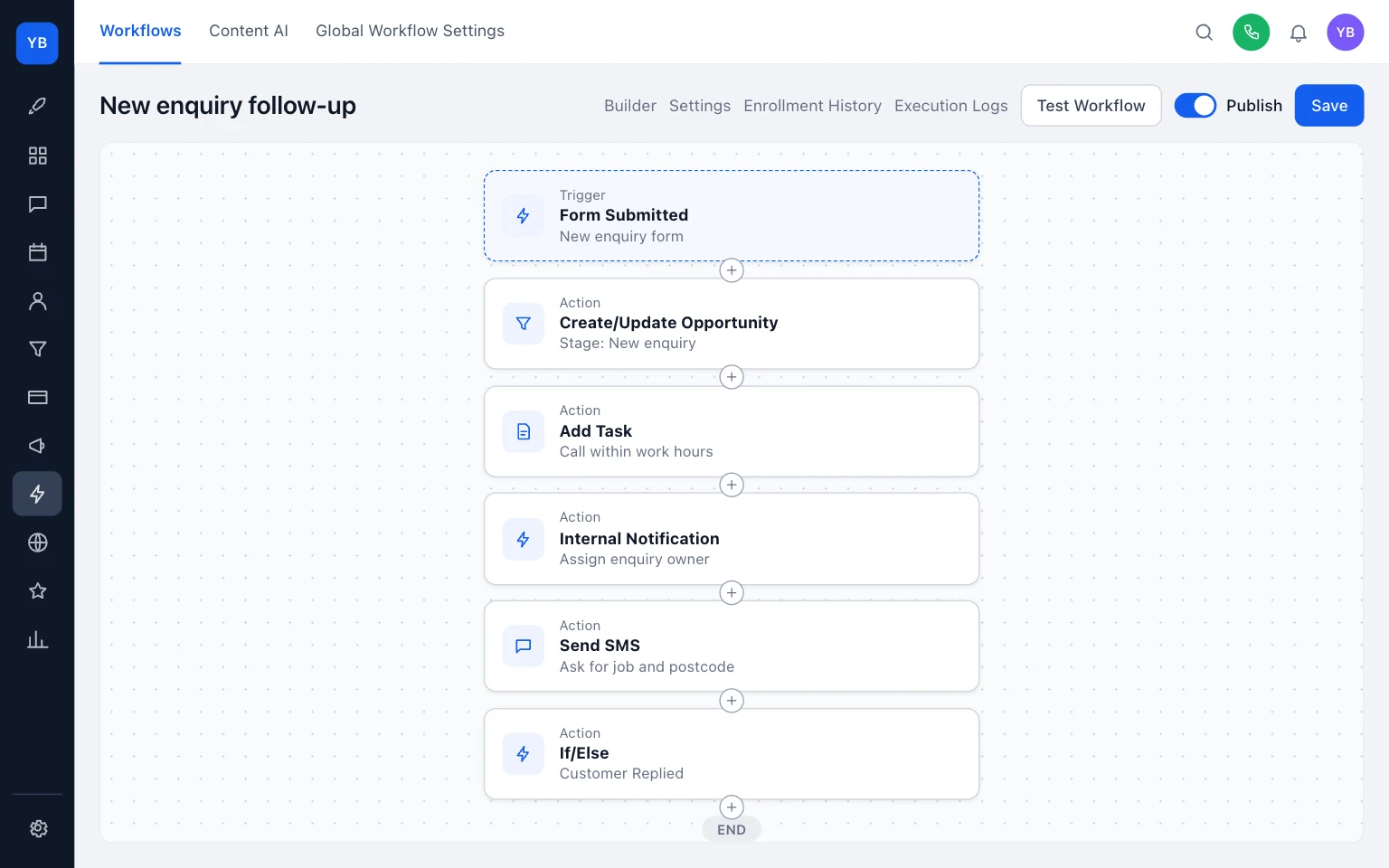
- how missed calls, SMS replies and web forms enter the same record
- who owns each new enquiry
- what gets exported before you move live
That work can be done by the owner, by an office manager, by the software vendor’s onboarding, or by an independent setup partner.
A software-only route usually suits you if you are willing to run the trial yourself, make the decisions, and tidy records as you go. Managed setup suits you if nobody in the business will actually own that build.
UKTL does this work in HighLevel, so we benefit if you ask for help. That is the commercial interest to keep in mind. You do not need UKTL specifically, but you do need someone to own the setup. If you want that done-with-you route, see our CRM page and pricing.
Example: three logins and 35 jobs a month
Say you have three people who need access and you usually run about 35 jobs in a month.
Tradify’s UK pricing page showed Lite at £34/user/month, as published on 2026-11-17 (Tradify pricing). On that basis, three logins comes to £102/month before any VAT check.
ServiceM8’s UK pricing page showed Starter at £25/month with unlimited users and a 50 jobs/month cap, as published on 2026-11-17 (ServiceM8 pricing). If your team size is the main pressure point, that is a very different starting shape from a per-user plan.
That does not make one automatically better. It tells you what to ask next.
If your headcount grows faster than your job count, a job-capped model can look attractive. If your monthly jobs regularly push past the cap, or you need features outside the lower tier you first priced, you need to rerun the numbers.
Jobber is harder to compare quickly in that same exercise because the public page reviewed was priced in USD, not GBP, and showed Plus from $499/month for 5 users on monthly billing, as published on 2026-11-17 (Jobber pricing). For a busy owner trying to shortlist this week, that is a real friction point even before feature fit is discussed.
What to test in the trial
Do not treat a free trial as a tour. Treat it as a short acceptance test.
These checks matter because the published differences are real: per-user versus job-capped pricing, SMS charges or allowances, and varying export or backup routes. Tradify’s reviewed UK pricing page listed per-user plans and SMS charges, as published on 2026-11-17 (Tradify pricing). ServiceM8’s reviewed UK pricing page listed job-capped tiers and SMS allowances, as published on 2026-11-17 (ServiceM8 pricing). ServiceM8 also published a self-service backup route, as published on 2026-11-17 (ServiceM8 backup). Jobber published client export help for select plans, as published on 2026-11-17 (Jobber export help).
- Confirm the checkout currency and whether VAT is added on your actual purchase screen. I did not confirm VAT wording across all reviewed pricing pages.
- Put through one web form enquiry and check it lands in New enquiry.
- Put through one missed-call follow-up route and check the reply lands on the same contact record.
- Create one quote, send it, and move it to Quote sent.
- Send one SMS reminder and note whether it uses an allowance or a per-message charge.
- Export customer data or download a backup before you import live records.
- Remove or archive your test records so you know who can clean up the account later.
If your weekly follow-up routine is still loose, pair the trial with our guide on a weekly plan for plumbers, electricians, roofers.

What you can do today
- Write down how many people genuinely need a login.
- Check your last few months and note your usual job count.
- Pick your five pipeline stages before you start any trial.
- Run one enquiry all the way through to export.
- Decide who owns the setup if the software is purchased.
If you only do one thing today, make it this: choose the owner. Most CRM problems in a trades firm are not caused by missing features. They are caused by nobody owning the process.
For more practical help, browse all guides. The most useful next reads are Customer CRM fields for trades, Weekly plan for plumbers, electricians, roofers, and Check the number customers see on return calls.
Keep building your enquiry process
See our guides for trades for the wider picture, explore missed calls and enquiry follow-up with UKTL and check the current package and pricing.
Make it practical
Talk through your own setup.
If the website, local search and follow-up all need joining up, we can walk through how the UKTL setup works for your business.
Book a quick call